Having trouble logging into My Service Canada Account?
This troubleshooting guide helps you fix common sign-in errors right away.
Learn how to resolve error codes, set up security features and contact the official help desk.
Why My Service Canada Account Is Essential
Accessing your federal account is crucial for managing daily life in Canada.
This secure portal connects you directly to your most important benefits.
You need it to track your Employment Insurance claims and submit weekly reports.
It also manages your Canada Pension Plan and Old Age Security payments.
The system stores a digital copy of your Social Insurance Number confirmation.
You can also view and print your official tax slips for the revenue agency.
Losing access means delays in your payments and applications.
Choosing the Right Sign-In Option
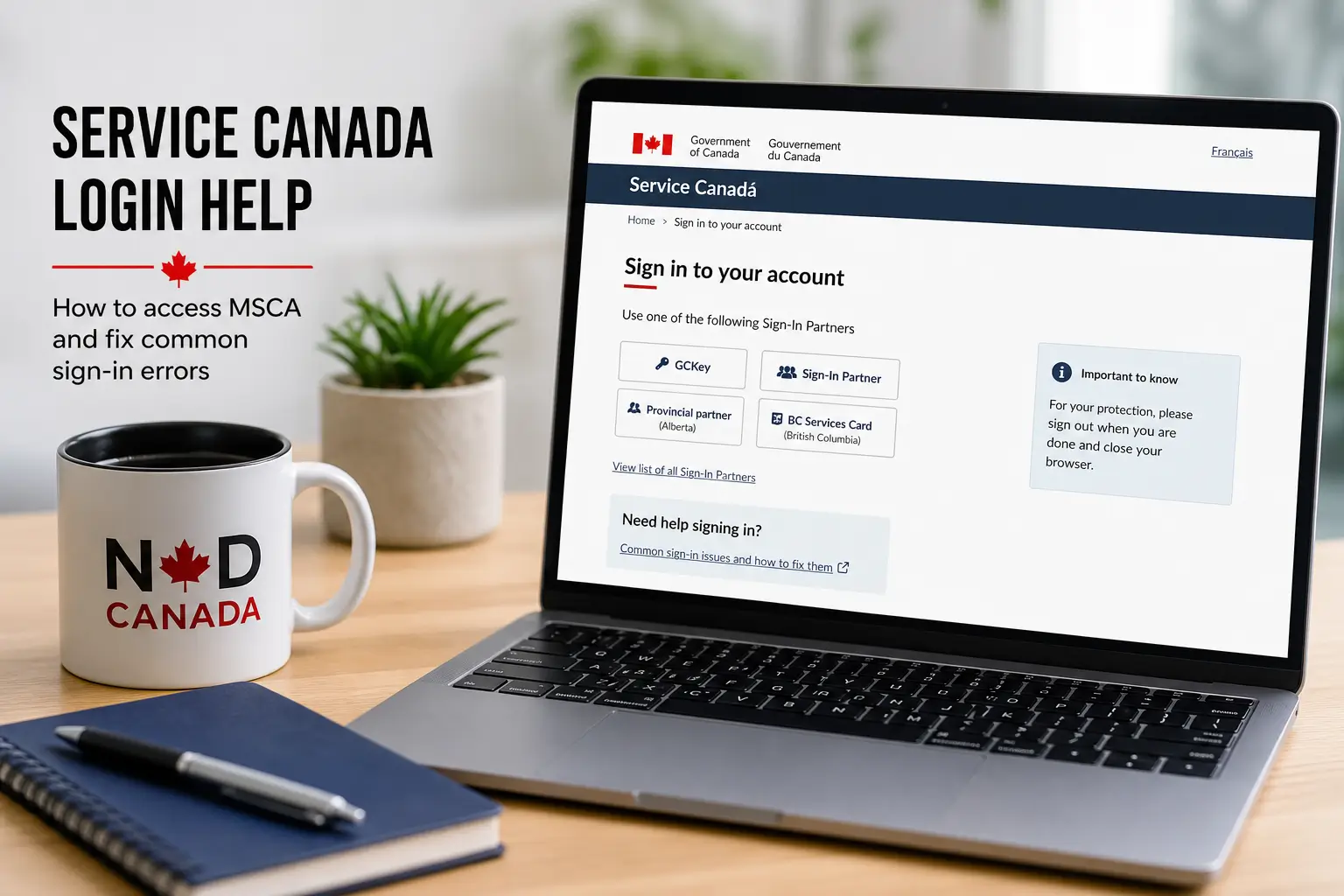
The government offers three different ways to access your profile securely.
You must always use the exact same option you selected during registration.
Your personal data connects directly to that specific credential forever.
- Sign-In Partner: Uses your secure online banking username and password.
- GCKey: A federal login created specifically for government services.
- Provincial ID: Works for residents of Alberta and British Columbia.
The banking option is highly secure and convenient for most users.
Federal agents never see your financial information or bank account details.
Setting Up Mandatory Security Codes
Multi-Factor Authentication is now mandatory for almost all federal users.
This extra layer prevents hackers from accessing your personal data.
You must enter a unique code every single time you log in to the portal.
Provincial digital ID users do not need to register for this federal system.
Their security is managed natively on their provincial login page.
- Authenticator App: Generates a code on your phone without internet.
- Text Message: Sends a fast SMS to your local or international number.
- Voice Message: An automated phone call reads the secret code out loud.
- Passcode Grid: A printable paper table of numbers for offline users.
Fixing Blank Screens and System Errors
Error UNC-0001 is incredibly frustrating for many applicants.
You might log in and suddenly see a completely blank white screen.
Sometimes the page freezes or displays a system unavailable message.
This usually happens because of corrupted browser cookies or expired data.
Using saved bookmarks to reach the login page is a major cause of this error.
- Delete bookmarks: Always type the official web address directly.
- Clear your cache: Delete history and cookies in your browser settings.
- Use Incognito Mode: Open a private window for a fresh connection.
- Switch browsers: Try Chrome, Edge, Safari or Firefox instead.
- Change networks: Use mobile data instead of your home Wi-Fi connection.
Clearing your cache forces the system to load fresh security files.
This simple step resolves more than half of all login glitches immediately.
How to Solve Error R001 Mismatches
Error R001 stops you right at the initial registration screen.
The system says your personal details do not match official government files.
You might also see Code 25001-PACR on the bottom right corner of the page.
This is frequently caused by a simple spelling mistake or a compound name.
Check that you typed your name exactly as it appears on your tax documents.
A dormant or inactive Social Insurance Number will also trigger this block.
If your account remains locked, you must call technical support to verify data.
What to Do If Your GCKey Is Revoked
You might see a warning that your username was previously revoked.
The government automatically revokes accounts that stay inactive for two years.
Potential security breaches will also cause an immediate account suspension.
Unfortunately, you cannot reactivate a revoked federal credential.
You have to create a completely new username and a strong new password.
After creating it, you will register and link it back to your existing profile.
Your past benefits and history remain safe on the servers during this process.
Handling Lockouts and Missing Security Codes
Sometimes the text message with your login code never arrives on your phone.
This happens due to carrier delays or if you recently changed your number.
Guessing the missing code multiple times is a very bad idea.
Too many incorrect attempts will temporarily lock your entire profile.
This security block lasts for exactly thirty minutes.
You must wait for the timer to expire completely before trying again.
If you lost access to your old phone, an agent must reset your options.
Getting a Personal Access Code
A Personal Access Code is a secure string of letters and numbers.
You absolutely need this code to register a new profile for the first time.
It is also required when you link a new login method to an old account.
The government mails this document to your house after you apply for benefits.
You can also request a new access code directly through the federal website.
Treat this document like a password and keep it hidden in a secure place.
Special Rules for Temporary Residents
Newcomers and temporary workers face unique challenges with online access.
International students also experience these specific registration hurdles.
Temporary numbers starting with a nine have strict expiration dates.
When your study or work permit expires, your document becomes invalid.
The federal system blocks access to profiles with expired documents instantly.
You must renew your legal status with immigration first.
Then you need to update your file at a physical government service centre.
Your online access returns once the new expiry date enters the system.
Viewing Your Tax Documents Safely
Many users log in specifically to find their annual tax information.
The portal stores important documents for the revenue agency.
You can download your T4E slips for past unemployment benefits.
It also holds your T4A slips for federal pension payments.
You need these forms to file your yearly federal income return.
The system lets you view current and past tax years easily.
Always log out completely when downloading files on public computers.
Never leave your active session unattended on a shared device.
Calling the Official Help Desk for Support
Online troubleshooting cannot fix a dormant profile or a locked phone number.
Sometimes you must speak directly with a dedicated technical agent.
Do not call the general benefits line for complex login errors.
Those agents cannot reset passwords or unlock your security settings.
You must contact the Registration and Authentication Help Desk directly.
| Region | Phone Number | Operating Hours |
|---|---|---|
| Inside Canada | 1-866-279-5238 | Mon to Fri, 8:30 a.m. to 4:30 p.m. |
| Outside Canada | 1-506-548-7009 | Mon to Fri, 8:00 a.m. to 8:30 p.m. |
| TTY Users | 1-800-926-9105 | Mon to Fri, 8:30 a.m. to 4:30 p.m. |
Prepare your documents before you dial the support number.
The agent will ask for your exact legal name and date of birth.
Have your Personal Access Code and the specific error code ready to share.
Security Tips to Protect Your Details
Your digital profile holds highly sensitive personal and financial data.
Because of this, it is a massive target for scammers and identity thieves.
Federal agencies will never send text messages containing login links.
If you receive a message saying a payment is waiting, it is a scam.
Never access portals from links found on social media or random forums.
Protect your credentials. No government agent will ever ask for your bank password.
Check the official requirements and log in directly through canada.ca.
You might also like: