Getting approved for Employment Insurance is only the first step. You must prove you still qualify every two weeks.
This regular check-in is known as EI reporting. If you do not file your biweekly report online, your payments will stop.
The system is strict. Missing a deadline can freeze your entire claim and cause major financial stress.
Here is exactly how to submit your EI report on time. We will also explain how to fix a dormant claim if you miss a deadline.
Why Biweekly EI Reporting Is Mandatory
Service Canada does not send your payments automatically. You must actively request the money.
Regular, sickness, and fishing benefits all require this step. The report proves you are still legally eligible for the funds.
You must complete this task every two weeks. Your specific due date is usually a Friday or a Saturday.
You can find your exact reporting schedule online. Simply log in to your My Service Canada Account to check your dates.
What You Need Before You Start
Gather your information beforehand to prevent session timeouts. The online system logs you out if you take too long.
You need four key pieces of information ready before opening the portal.
- Your SIN: Your 9-digit Social Insurance Number.
- Access Code: The 4-digit code sent by mail after applying.
- Earnings info: Details of any money earned before taxes.
- Training details: Dates and hours of any school attended.
Lost your code? Call the EI Telephone Information Service at 1-800-206-7218 to request a replacement.
Step-by-Step: How to File Your EI Report Online
The Internet Reporting Service is the fastest way to get paid. The process usually takes less than five minutes.
- Visit Canada.ca: Open the official Internet Reporting Service page.
- Log in securely: Enter your SIN, date of birth, postal code, and Access Code.
- Answer the core questions: Reply to the six mandatory eligibility questions.
- Review your answers: Double-check all dates and amounts carefully.
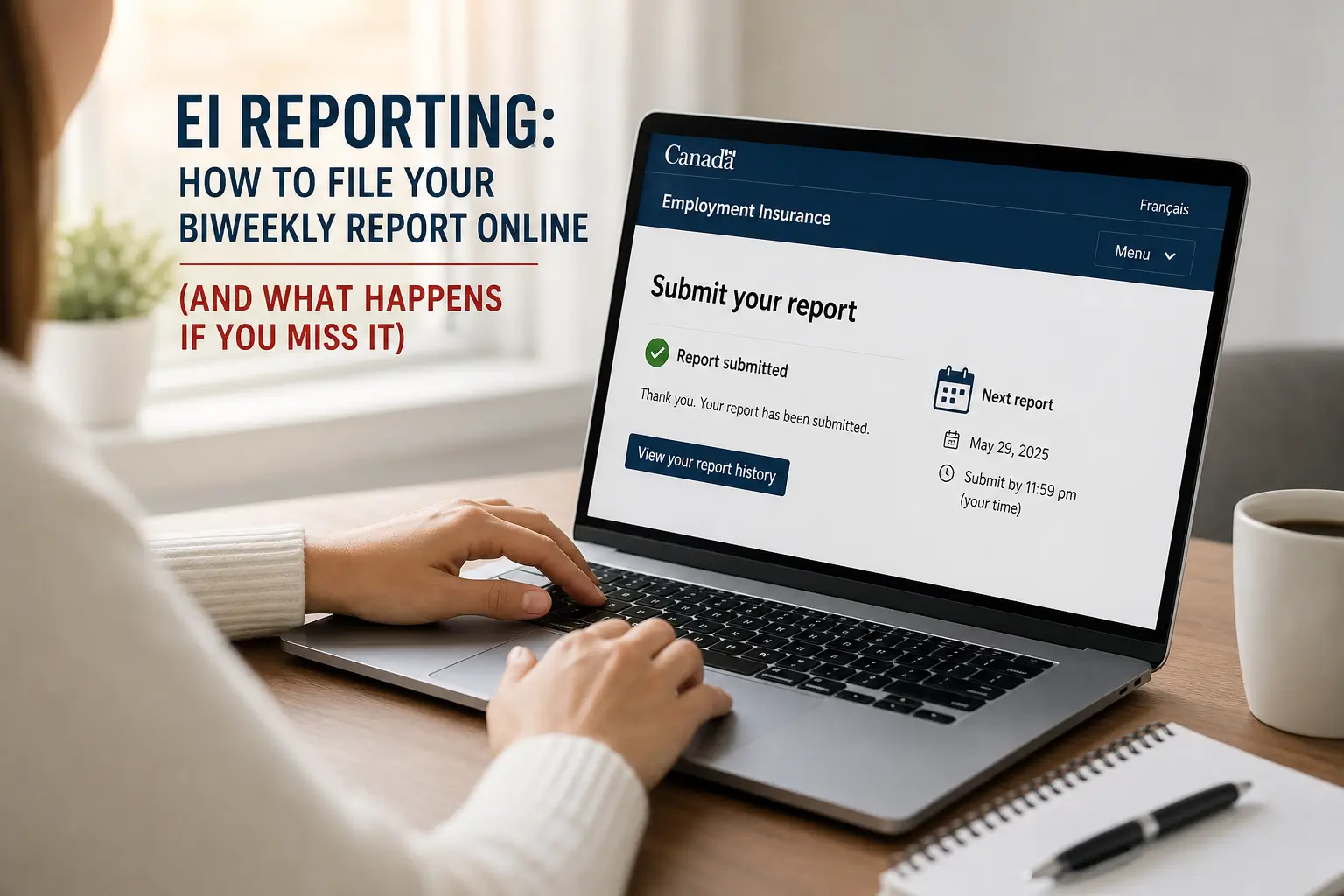
- Submit the report: Click submit and save the confirmation page.
After submission, a confirmation screen will appear. This screen displays the exact due date of your next biweekly report.
If your report is successful, the process moves quickly. Your payment usually hits your bank account in two to three business days.
The 3-Week Rule: What Happens If You Miss the Deadline?
This is the most critical rule of the EI program. You have a very strict time limit to submit your information.
You must file your report no later than three weeks (21 days) after your original due date.
If you are a few days late, do not panic. Simply log in online and submit the report as normal.
Your payment will still be processed. It will just arrive in your bank account a little later than usual.
However, if 21 days pass without a report, Service Canada takes action. The system automatically flags your claim as dormant.
A dormant claim is an inactive claim. All future payments stop immediately until you fix the issue.
How to Reactivate a Dormant EI Claim
Seeing an error message about a dormant claim is stressful. Fortunately, you can fix this without calling an agent.
You do not need to visit a Service Canada office in person. The reactivation process is fully digital.
- Go to the application portal: Access the EI Regular Benefits page.
- Submit a renewal: Start a new application. The system will detect your old claim.
- Wait for reactivation: Service Canada will renew your existing claim automatically.
- Catch up: Once active, log in to submit your missing reports.
Processing a reactivation request takes time. It typically takes between 1 and 28 days to get your account running again.
Getting paid for the weeks you missed is much harder. You must submit a formal request to backdate your reports.
Service Canada calls this an antedate request. They will only approve it if you had a valid good cause for the delay.
A good cause usually means a severe illness or family emergency. Simply forgetting to file is not accepted as a valid excuse.
Crucial Rules: What You Must Declare
Honesty is mandatory when dealing with Service Canada. Submitting false information is a serious punishable offence.
The system will ask you six core questions. You must answer them accurately for each week of the reporting period.
| Declaration Category | Rule & Requirement | What to Watch For |
|---|---|---|
| Working While on EI | Declare all hours and gross earnings in the exact week worked. | The 50% Rule applies. You keep 50 cents of EI for every dollar earned. |
| School & Training | Report any university, college, or apprenticeship hours. | Daytime classes might impact your availability to work. Always declare them. |
| Travel Outside Canada | Declare if you left the country between Monday and Friday. | You are usually not eligible for EI while abroad. Hiding travel is fraud. |
Always declare your work hours in the week you performed them. Do not wait until your employer actually pays you.
You must also report other types of income. This includes severance pay, vacation pay, pensions, and workers compensation.
The system will ask if you were ready and capable of working. You must be available for full-time employment to receive regular EI.
Phone and Paper Reporting Options
Not everyone has reliable internet access. The government provides alternative channels for these situations.
You can use the EI Telephone Reporting Service. This is an automated interactive voice response system.
Simply call 1-800-531-7555. The toll-free line is available 24 hours a day.
You will need your SIN and your Access Code. The voice prompt will guide you through the same questions as the website.
Paper reports are also an option if you cannot use digital tools. You must mail these directly to a regional processing centre.
- Western Canada: PO Box 245, Edmonton, AB, T5J 2J1
- Ontario: PO Box 4500, Belleville, ON, K8N 5C1
- Quebec: PO Box 60, Boucherville, QC, J4B 5E6
- Atlantic Canada: PO Box 6080, Moncton, NB, E1C 0A7
Mailing paper reports will naturally slow down your payments. Use the online portal whenever possible for faster processing.
Protect Your Claim: Watch Out for EI Scams
Fraudsters actively target people receiving government benefits. You must protect your personal information.
Your Social Insurance Number and Access Code act as your signature. Never store them together in your wallet or phone.
Service Canada has strict communication rules. They will never send you a text message with a clickable link.
They will never email you asking to verify your SIN. They will never threaten to close your claim via email.
Only access your report via secure Canada.ca links. Never use third-party websites that promise to speed up your payments.
Next Steps and Official Service Canada Contacts
Keeping your EI claim active requires attention to detail. Set a reminder on your phone for every second Friday.
If you need to speak to an agent, call 1-800-206-7218. The lines are open Monday to Friday, from 8:30 a.m. to 4:30 p.m.
If your claim is denied, you have options. You can submit a Request for Reconsideration Form within 30 days.
Always keep your direct deposit information updated. An old bank account number will cause your payments to bounce back.
Log in to your My Service Canada Account today. Check your next reporting date and secure your upcoming payment.
You might also like: