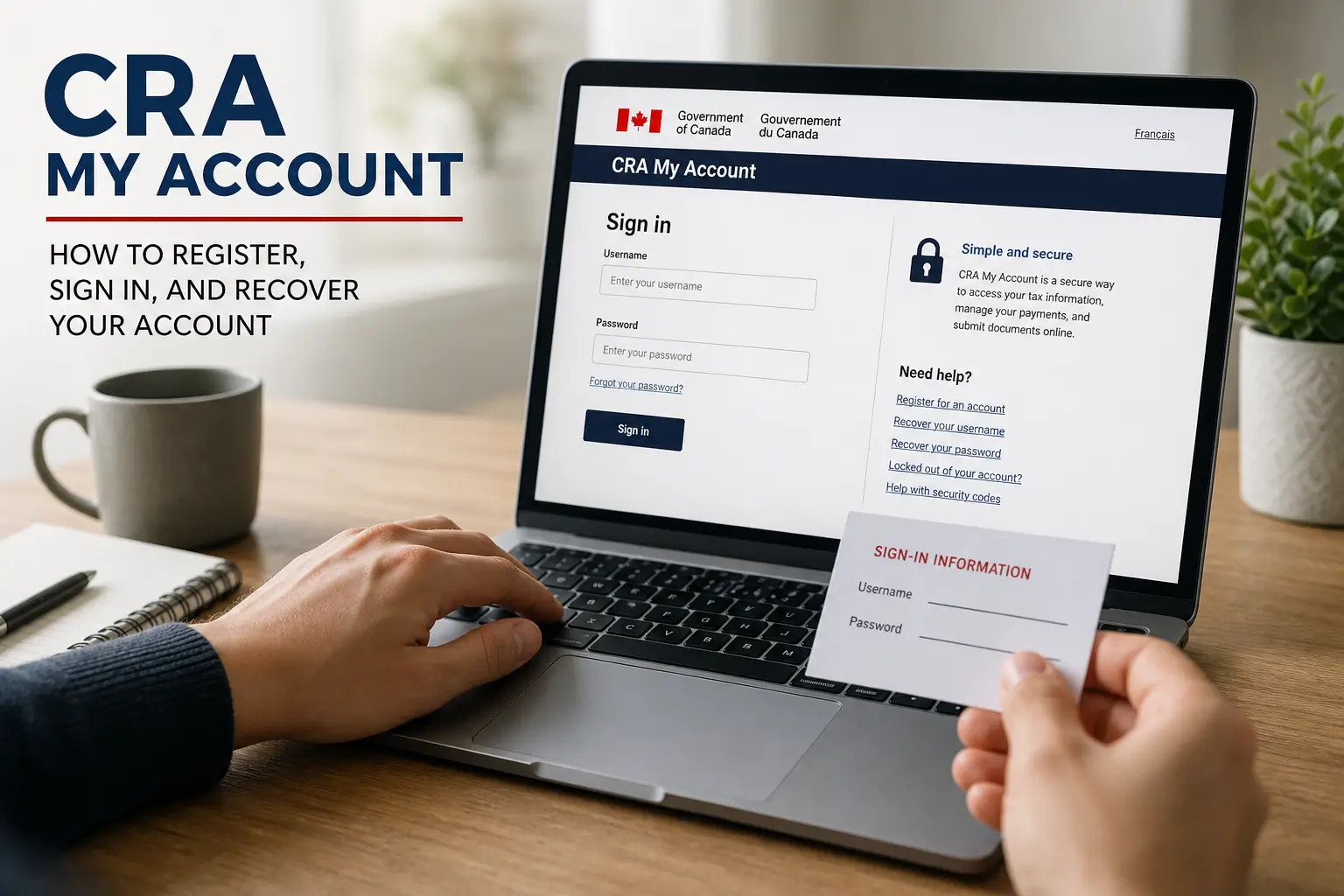
Your CRA My Account is the central hub for your taxes and benefits. It is the most important digital portal for managing your finances.
Many people find the registration process confusing. Getting locked out is also a very common problem that delays important payments.
This guide shows you exactly how to register and sign in. You will learn how to recover access immediately without waiting on hold.
Why the CRA My Account Is Essential
The Canada Revenue Agency portal controls your financial life. It tracks your tax refund status and holds your Notice of Assessment.
You also need it to manage direct deposit details. This ensures you receive payments like the Canada Child Benefit on time.
Using the digital portal saves you hours of waiting on the phone. It is highly recommended for all Canadian residents.
Who Can Register Online?
Not everyone can create a profile immediately. You must meet three specific criteria to start the online registration process today.
First, you need a valid Social Insurance Number. Your date of birth must also be registered correctly in the official system.
Finally, you must have filed at least one Canadian tax return. This applies to the current or previous tax year.
Critical Rules for Newcomers
International students and temporary workers face different rules. If you have never filed a tax return, you cannot register online yet.
You must file your very first tax return first. The government needs this to verify your identity in their official secure system.
Once they process it, they will issue your first Notice of Assessment. You can then complete your digital registration normally.
What You Need Before You Start
Gather your documents before visiting the website. The system will automatically log you out after 18 minutes of inactivity.
Your progress will not be saved if time runs out. Having everything ready prevents frustrating delays and unnecessary errors.
Keep your most recent tax return handy. The system will ask for a specific amount from a specific line, like Line 15000.
Have your smartphone or tablet nearby. A camera enabled device is required if you want instant access later.
Choosing Your Sign In Method
Go to the official Canada.ca login page. You will see two primary options to create your secure profile and access your data.
| Registration Option | How It Works | Best For |
|---|---|---|
| Sign In Partner | Uses your existing Canadian bank login to verify your identity. | Users who want a simple login without a new password. |
| User ID and Password | You create a unique username and custom security questions. | Users who want to keep banking and taxes entirely separate. |
Both methods are highly secure. The choice simply depends on whether you prefer using your bank login or a dedicated password.
The government never sees your banking passwords. The bank simply confirms your identity to the federal security system.
Setting Up Multi Factor Authentication
Security is a top priority for government services. You must enroll in Multi Factor Authentication to protect your personal data.
The system will send you a one time passcode every time you log in. You can receive this via text message or a voice call.
You can also use a third party authenticator app. Google Authenticator is a popular choice for this important security step.
It is highly recommended to set up more than one option. This prevents lockouts if you ever change your phone number.
How to Get Instant Access Online
Completing basic registration only gives limited access. You must verify your identity to unlock all features and benefit details.
The Interac Document Verification Service is the fastest method. It entirely bypasses the need to wait for a physical letter.
You must be 16 years or older to use this service. You also need a mobile device with a working camera to scan your documents.
You must provide a valid Canadian passport or driver licence. Provincial photo identification cards are also accepted.
The system requires a clear photo of the front and back of your ID. You will then complete a quick biometric face scan.
Your identity is verified in real time. This gives you immediate and full access to your government portal and tax documents.
Getting Your Security Code by Mail
Some users prefer not to use biometric verification. You can choose to receive a physical security code by mail instead.
The agency will send a letter to your registered home address. It contains a unique code needed to unlock your complete profile.
This letter typically takes up to 10 business days to arrive. You will only have limited access during this waiting period.
Once the letter arrives, log in and enter the code. This will permanently unlock all portal features for future use.
Locked Out? The 30 Minute Rule
Entering the wrong password too many times causes a temporary lockout. The system freezes your profile to protect your data.
If you enter the wrong passcode, the system locks you out for 30 minutes. You do not need to call support for this issue.
Simply wait for half an hour. The system will automatically reset and let you try logging in again with your credentials.
Failing the verification three times consecutively is a bigger problem. This causes a permanent lockout requiring recovery steps.
How to Recover a Forgotten Password
Forgetting your login credentials is very common. You can easily fix this if your profile is not completely frozen by security.
Go to the sign in page and select the main login option. Click the link that says you forgot your password or user ID.
Enter your Social Insurance Number and date of birth. You must also enter the requested tax return amount from your documents.
Answer the security questions you created during registration. The system will then let you reset your secure login details.
The New Re Registration Feature
The agency recently introduced a self serve bypass. You no longer have to call support if you forget your security answers.
Go to the registration page and start as a new user. Enter your personal details and tax return information again carefully.
Complete the Interac Document Verification step with your mobile phone. This instantly proves your real identity to the system.
The system will automatically delete your old locked credentials. It will link your profile to your new secure sign in details.
You cannot use this bypass if your account is locked due to fraud investigations. In those cases, you must call them directly.
When to Call the Agency Directly
If self serve methods fail, you must speak with an agent. They can unlock your profile if there is a hard security hold.
The main toll free number is 1 800 959 8281. Callers from northern territories must use 1 866 426 1527 instead.
Agents are available Monday to Friday from 8 AM to 8 PM local time. They are also open on Saturdays from 9 AM to 5 PM.
Avoid calling on Mondays to skip the longest wait times. Tuesdays through Thursdays are generally much faster for all callers.
Have your documents ready before calling. The agent will ask for details from your Notice of Assessment to quickly verify you.
How to Spot and Avoid Scams
The agency is a frequent target for phishing and identity theft. You must protect yourself by following strict safety rules.
The government never sends text messages or WhatsApp messages with links. They will never email you a link to claim a refund.
They will never send you money via Interac e Transfer. They also never ask for payment using gift cards or cryptocurrency.
Security Warning: The government will never demand immediate payment via cryptocurrency or prepaid gift cards.
Always verify the web address before typing your password. Only log in directly on the official Canada.ca secure web domain.
Never share your Social Insurance Number on unofficial websites. Always access government services through their proper channels.
Visit the official Canada.ca website today to set up your profile. Keeping your account active ensures you never miss a payment.
You might also like: