Missing a T4 slip can make tax season incredibly stressful. But you can still file your Canadian tax return accurately and on time without it.
If your document is missing or wrong, do not panic. The Canada Revenue Agency has strict rules to help you fix this issue without facing any delays.
This guide explains exactly what steps to take before you file. You will learn how to find missing tax documents and avoid costly government penalties.
Why You Need a T4 and When Employers Must Send It
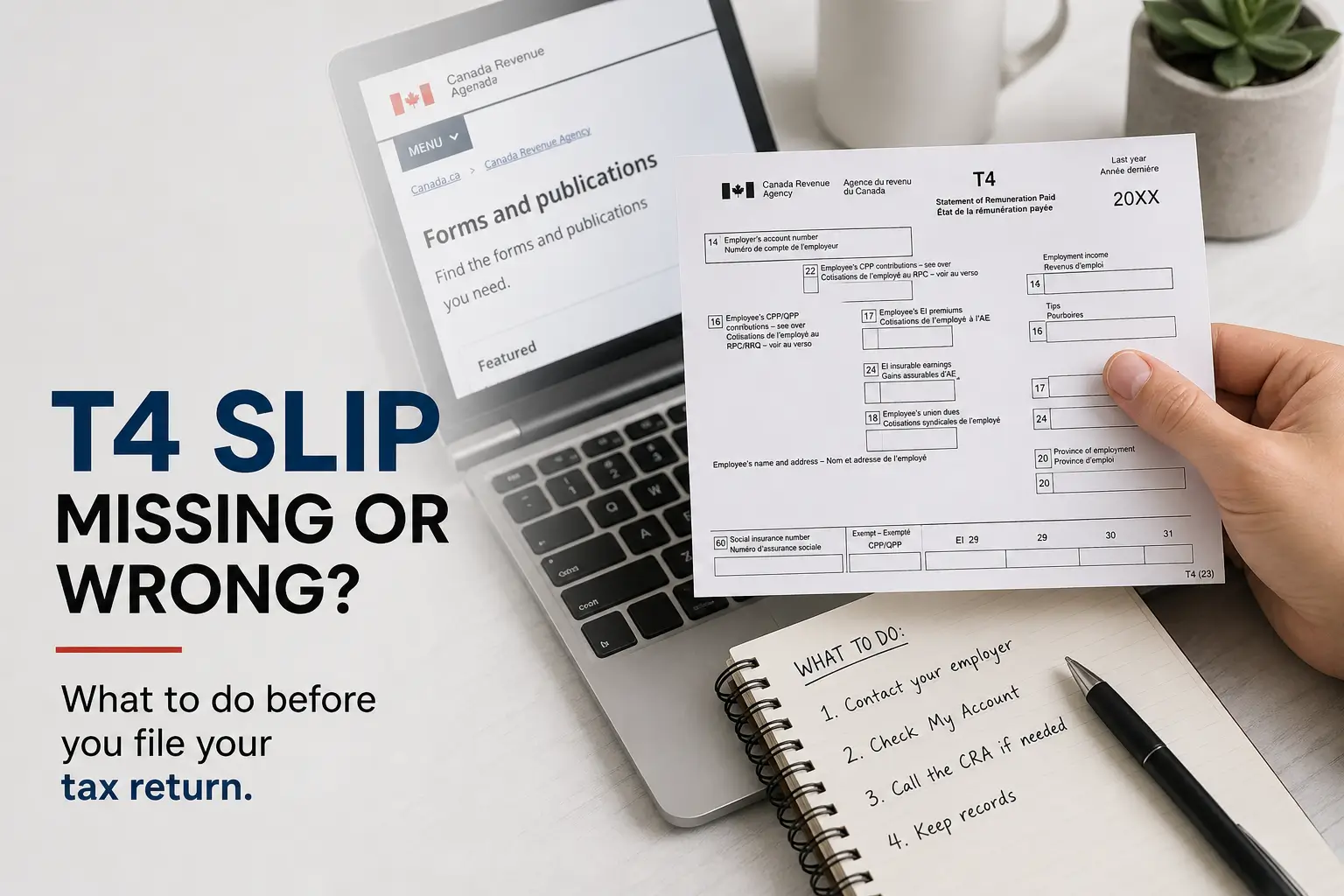
A T4 slip is an official tax document provided by your employer. It proves your total employment income earned during the calendar year.
It also lists critical payroll deductions. These include your income tax, Canada Pension Plan contributions, and Employment Insurance premiums.
Employers must issue a T4 if you earned at least $500. They must also issue one if they made any source deductions from your regular pay.
The legal deadline for employers to send this document is the last day of February. They must also file an electronic copy with the CRA by this exact date.
If February ends on a weekend, the deadline simply moves to the next business day. For example, 2026 tax slips are officially due by March 1, 2027.
If mid March arrives and you still have no slip, you must take immediate action. Ignoring the problem will automatically delay your tax refund.
How to Find a Missing T4 Slip Online
The fastest way to find a lost T4 is through the internet. Employers must submit an identical digital copy of your slip directly to the government.
You can likely find your missing document in your CRA My Account. This is the official secure portal for all Canadian taxpayers.
Here is how to access your tax information slips safely:
- Step 1: Go to the official Government of Canada website.
- Step 2: Log in to your CRA My Account securely.
- Step 3: Click on the section for tax information slips.
- Step 4: Select the correct tax year to view your missing T4.
- Step 5: Print or save the digital copy for your personal records.
If you use certified tax software, you can try the Auto Fill my Return feature. This downloads your slips directly into your active tax return.
Missing Government Slips and Service Canada
Not all tax slips come from an employer. If you receive government benefits, you need completely different documents to file correctly.
These government slips will not appear in your CRA My Account at first. You must find them through your My Service Canada Account instead.
Here are the main government slips you might need for your return:
- T4E: Used for Employment Insurance benefits.
- T4A P: Used for Canada Pension Plan payments.
- T4A OAS: Used for Old Age Security benefits.
These slips are usually available online by early February. You can view and print them directly from the secure federal portal.
If you cannot access the internet, call Service Canada directly. They can mail a duplicate physical copy straight to your home address.
What to Do If Your Employer Cannot Be Reached
Sometimes an employer goes out of business or completely stops responding. This is frustrating, but you must still file your taxes on time.
Missing the tax deadline will result in late filing penalties. It can also trigger unwanted interest charges on any unpaid taxes you might owe.
First, try reaching out to the company one last time in writing. Ensure they have your correct email and current mailing address on file.
Remind them that providing a tax slip is a strict legal requirement. They must provide it even if you no longer work for the company.
You must document every single phone call and email you send to your former employer. The government may ask for this solid proof later.
If they continue to ignore you, you must estimate your income. The CRA officially allows you to do this using your own payroll records.
How to Use Pay Stubs to Estimate Your Income
Estimating your income is a perfectly legal alternative when an employer vanishes. You just need your final pay stub for that specific tax year.
Your final pay stub contains crucial cumulative numbers. Look for the Year to Date gross income and all the source deductions listed.
You must report the exact figures for the income tax withheld. You also need the exact final numbers for your CPP and EI premiums.
If filing electronically, do not mail the pay stubs anywhere. Just type the estimated numbers directly into your certified tax software.
You must keep all physical pay stubs and bank statements safe. The CRA may ask to review these documents later to verify your math.
If you file a paper return, attach a clear photocopy of your pay stubs. Never send your original copies in the mail.
Include a brief written note with your paper return package. Explain the employer details and all the steps you took to get the slip.
Found an Error? How to Fix a Wrong T4 Slip
Receiving a T4 with incorrect information is a serious issue. You must fix this discrepancy before you submit your final tax return.
Never manually change or cross out figures on your physical T4. This will cause an immediate mismatch in the government computer system.
The CRA uses automated systems to verify your return against the employer copy. Any difference will automatically delay your tax refund.
Contact your employer immediately and point out the specific mistake. You must ask them to issue an official Amended T4 slip.
Your employer must submit this corrected slip directly to the CRA. They must also send you a brand new copy marked clearly as amended.
Wait until the amended slip appears in your CRA My Account before filing. This simple step prevents major mismatch errors from occurring.
If they refuse to correct it, calculate the true amounts yourself. Keep your pay stubs and a written record as undeniable proof.
Special Rules for Quebec Residents and the RL 1
Tax season works differently for anyone living or working in the province of Quebec. You must report your income to two separate tax agencies.
The federal government strictly requires your T4 slip. The provincial government requires a separate document called the Relevé 1 slip.
Employers based in Quebec must generate both of these documents for you. They must send them to you before the strict February deadline.
If your Relevé 1 is missing or wrong, contact your employer directly. They must issue an amended provincial slip for your records.
You can also check for missing provincial slips online. Log in to your secure Revenu Québec My Account portal to find them instantly.
Use the specific numbers on your Relevé 1 to complete your provincial return. Keep both slips safe in case of a future provincial audit.
What If You Already Filed Your Canadian Tax Return?
A missing T4 might suddenly arrive in the mail after you file. Or you might realize the estimated numbers you used were completely wrong.
Do not file a second tax return to fix the mistake. Submitting multiple returns will heavily confuse the system and delay your entire file.
You must wait to receive your official Notice of Assessment. The CRA must process your original return before making any major changes.
Once you have your assessment, you can request a formal adjustment. Here are the three official ways to fix a completed tax return:
| Method | Speed | How to Use |
|---|---|---|
| CRA ReFILE | Fastest | Use your certified tax software program directly. |
| Change My Return | Fast | Log in to your CRA My Account portal. |
| Form T1 ADJ | Slowest | Mail a paper form to your local tax centre. |
Digital adjustments are always the best and fastest choice. Paper forms can take up to eight weeks for the government to fully process.
Official Government Contacts for Tax Help
If you need professional guidance, contact the government directly. The official CRA Individual Tax Enquiries Line is 1-800-959-8281.
This support line operates Monday to Friday from morning until evening. Have your Social Insurance Number ready before you make the call.
For missing Employment Insurance slips, do not call the CRA. You must call the Service Canada information line at 1-800-206-7218 instead.
Always have your most recent Notice of Assessment handy. The agent will ask specific questions about it to verify your identity securely.
How to Protect Yourself from Tax Scams
Tax season is a prime time for fraudsters targeting newcomers and Canadians. You must protect your personal information carefully every year.
The CRA and Service Canada never send text messages with clickable links. They will never demand immediate payments through digital messages.
Never share your Social Insurance Number or banking passwords via email. No official government department will ever ask for this information.
Security Alert: If you receive a suspicious phone call claiming to be the CRA, hang up. Call the official tax line directly to verify.
Check your CRA My Account today to see if your missing slips are ready. Taking action early ensures your tax file stays completely secure.
You might also like: